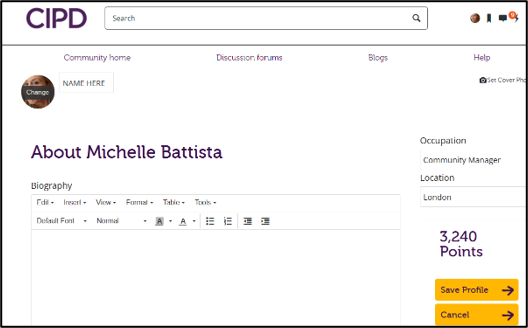
Your profile is a great way for others to get to know you. It’s where your personality and experience really come to life.
Within your profile, you can add your photo, update your bio, choose how your name appears, and share a little more about yourself.
To get started, select the avatar icon in the top right corner and select Profile → Edit profile. 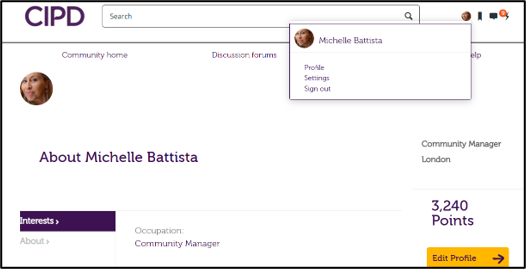
Biography:
This is your space to introduce yourself. You might share your role, how long you’ve been in the profession, your specialism, and what you’re passionate about.
Please don’t include personal details or any promotional/business information (including web links), as you will be asked to remove them or they will be removed by the community moderators.
See Community User Guidelines for more information. 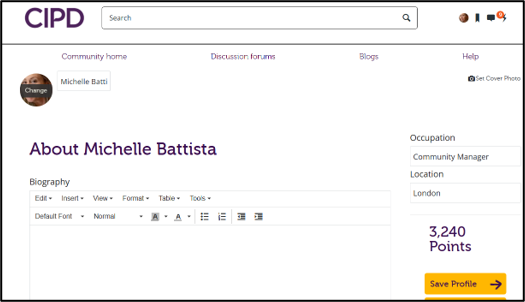
Upload a photo:
Adding a photo helps others connect with you, it’s always nice to put a face to a name. Please use an image that is appropriate for a professional environment. Top left corner.
Your photo should ideally be square and no larger than 120 × 120 pixels to avoid appearing pixelated.
Display name:
Choose how your name appears across the community so others can easily recognise and connect with you. Top left corner.