

Stay connected! And keep up to date with what’s being discussed across the community and never miss a reply to your posts.
You can manage how you receive notifications at any time through your profile settings. Profile icon → Settings → Notifications
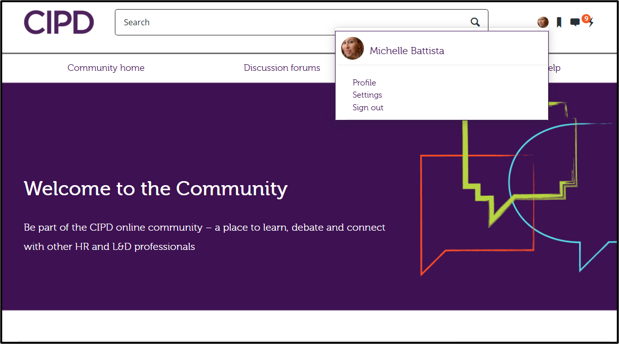
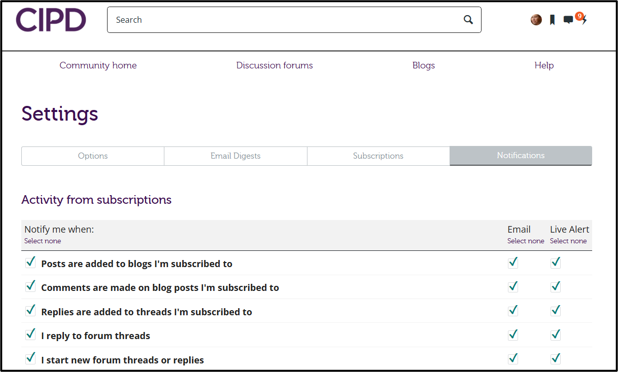
You can choose to receive:
- Live alerts within the community and/or
- Email notifications
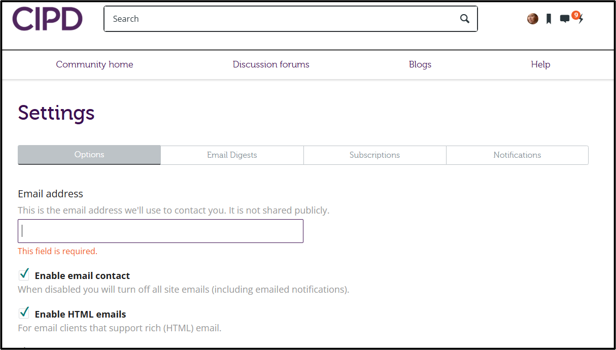
To receive email updates, make sure the Enable email contact option is ticked.
Live alerts will be signalled by the lightning icon in the top right corner of the community.